Is StepRecorder free?
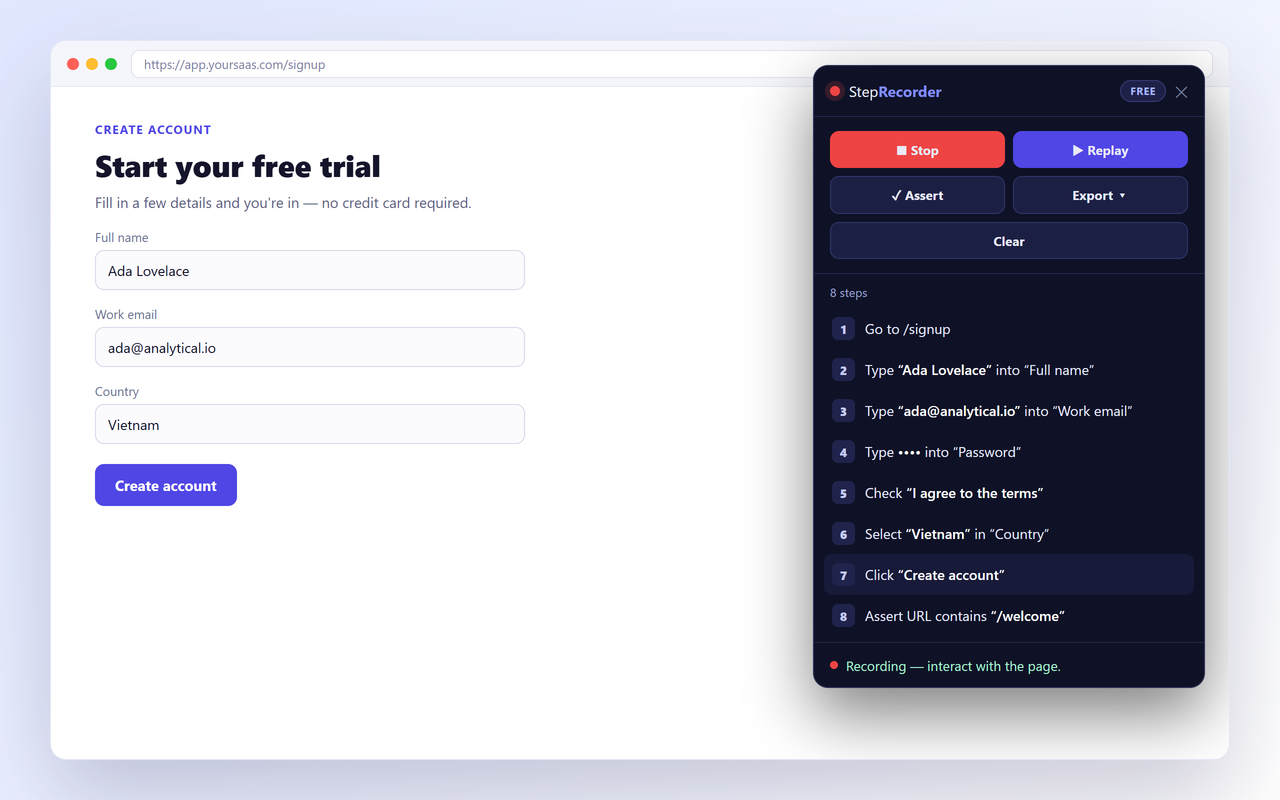
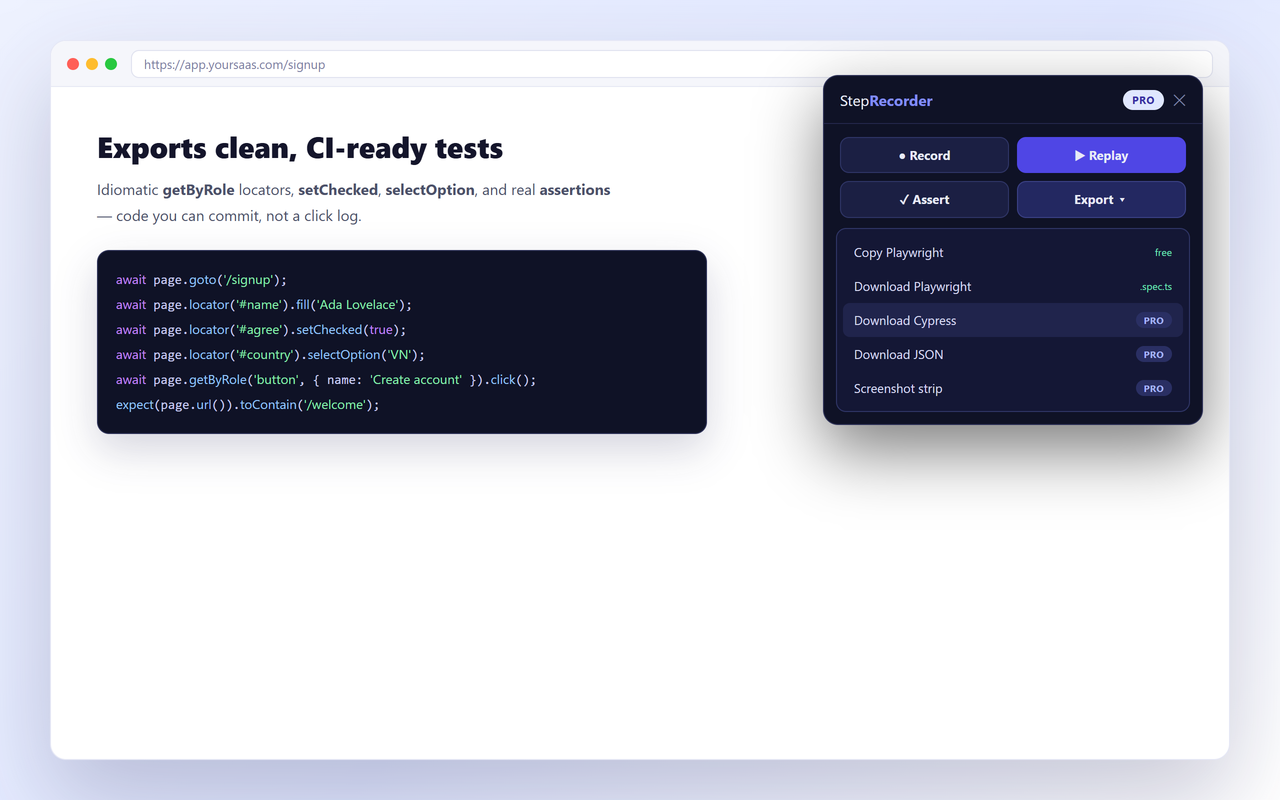
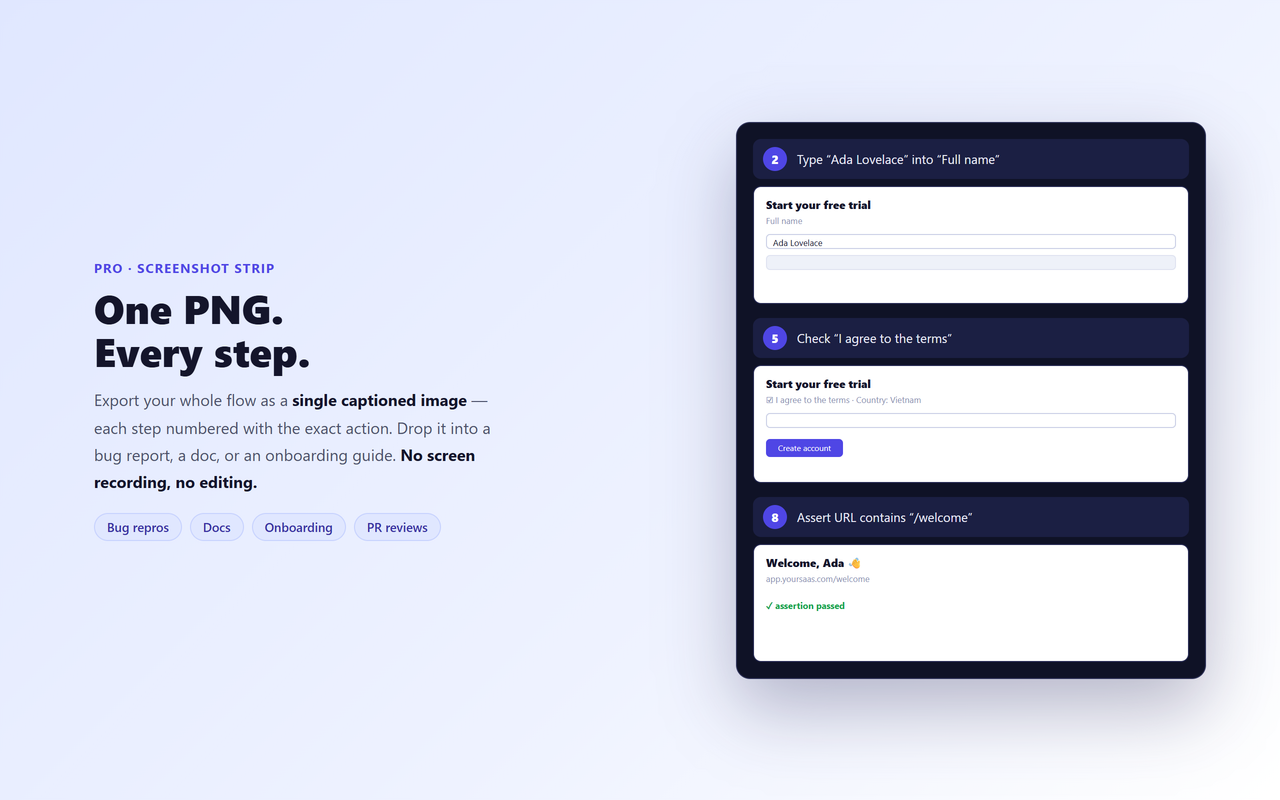
Yes. The Free tier is unlimited — unlimited steps, an editable numbered step list, in-tool assertions, single-page replay and Playwright export — with no login. Pro ($49 one-time) adds Cypress & JSON export, the numbered screenshot strip, seamless cross-page replay, lifetime updates and 3 devices.
Do I need an account or login?
No. StepRecorder is a browser extension with no sign-up. Your recordings stay on your device.
Does my data leave my machine?
No. Recordings stay local and are never uploaded. Passwords, card/CVV fields, and tokens in URLs are masked automatically before a step is stored or exported. The only network request StepRecorder makes is a periodic license check for Pro — nothing about the pages you record is ever sent.
How is it different from Playwright codegen?
Codegen gives you a raw click log to clean up by hand. StepRecorder gives an editable, numbered step list with built-in assertions and replay-to-verify, then exports the same idiomatic getByRole() Playwright code — plus Cypress export and a numbered screenshot strip.
How is it different from Selenium IDE or Katalon Recorder?
Those export verbose, XPath-heavy scripts. StepRecorder is shadow-DOM and role-aware, replays while waiting for elements so tests don't flake, and outputs modern Playwright or Cypress with real assertions.
Which browsers does it support?
StepRecorder is live now on the Chrome Web Store and Firefox Add-ons. Edge support is coming soon — see the install section above for live store links.
Can it export Cypress, or only Playwright?
Playwright export is free. Cypress and JSON export are part of Pro.
Does it handle multi-page flows?
Single-page replay is free. Seamless cross-page replay, which follows navigations across pages, is a Pro feature.
Can I move my Pro license to a new device?
Yes. Your Pro license activates on up to 3 devices. To move it to a new machine, email [email protected] with your Paddle receipt and we'll free up a seat.